Check seller options and Superbuy QC photos
Save the listing details before you order. When the item reaches the warehouse, use them to check the option and judge what the photos can tell you about fit.
Record the option before placing the order
Open the KA record and follow it to the seller. Save the listing link and a screenshot that shows the selected color or style, size and price. Save the seller’s size chart separately if the chart is lower on the page.
- For a set, note how many pieces are included and whether the top and bottom use one size.
- For shoes, check whether the chart measures the foot or the insole.
- If two color names look similar, keep the seller’s exact option label alongside the picture.
Match the warehouse photos to the order
Open your Superbuy warehouse record and compare the label, visible design and number of pieces with the saved option. Use a photo of the full item to check placement, then zoom in for details such as a zip, hem or print edge. If a detail matters and the image is unclear, ask whether the warehouse can provide another angle.
Read the measurement from the right endpoints
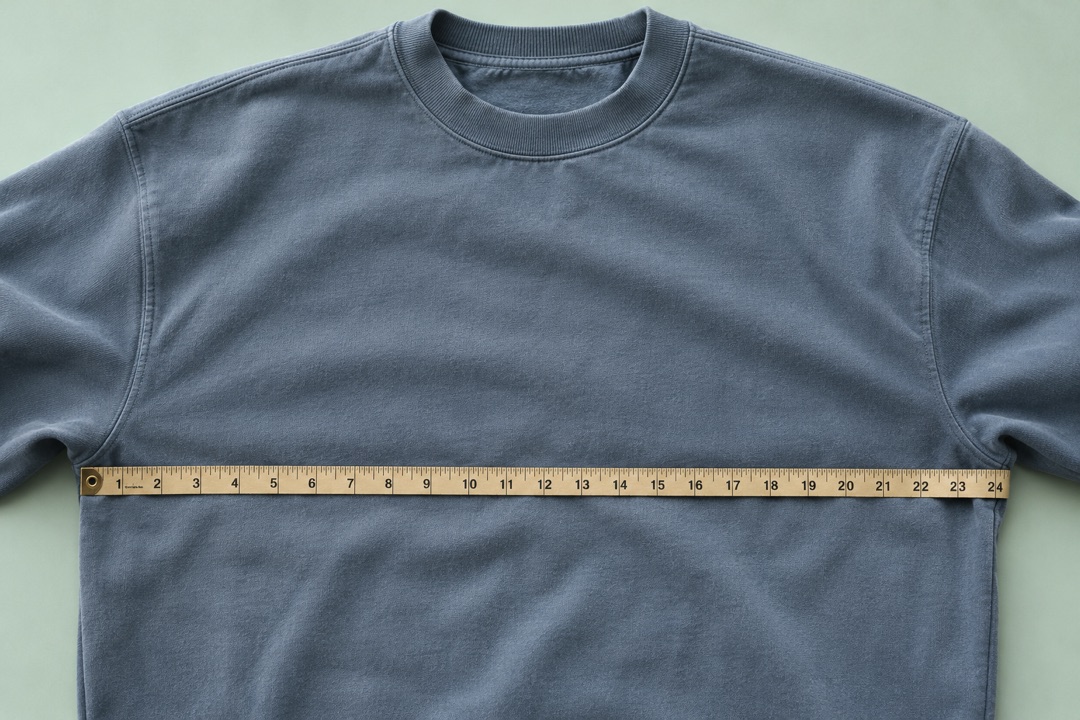
For flat chest width, the tape should run horizontally from one underarm seam to the other on a laid-flat garment. If your own T-shirt measures 52 cm and the warehouse photo reads 54 cm from zero, the garment is 2 cm wider when flat. If the tape starts at its 2 cm mark and ends at 54 cm, the width is 52 cm. Ask for a direct overhead photo whenever you can’t see both marks.
Check the quote for your destination
Enter your US destination and ZIP code with Superbuy and review the quote for the packed parcel. Compare available routes using the same dimensions and weight, and check which charges would be collected at checkout or on delivery.